
1.3 How do I verify my LinkedIn account?
In this section, you will learn how to link your LinkedIn profile to complete your onboarding process.
Verify Your LinkedIn Profile
- When you open your profile, look at your profile picture.
- If you see a yellow circle around it, that means your LinkedIn profile has not yet been verified.
- Click on the profile picture with the yellow circle, and Regards AI will begin searching for your LinkedIn profile.

- You will see a pop-up to connect your LinkedIn profile. You can either search for your profile within the app or paste your LinkedIn URL to continue.
- To search your linked profile inside click on your name.
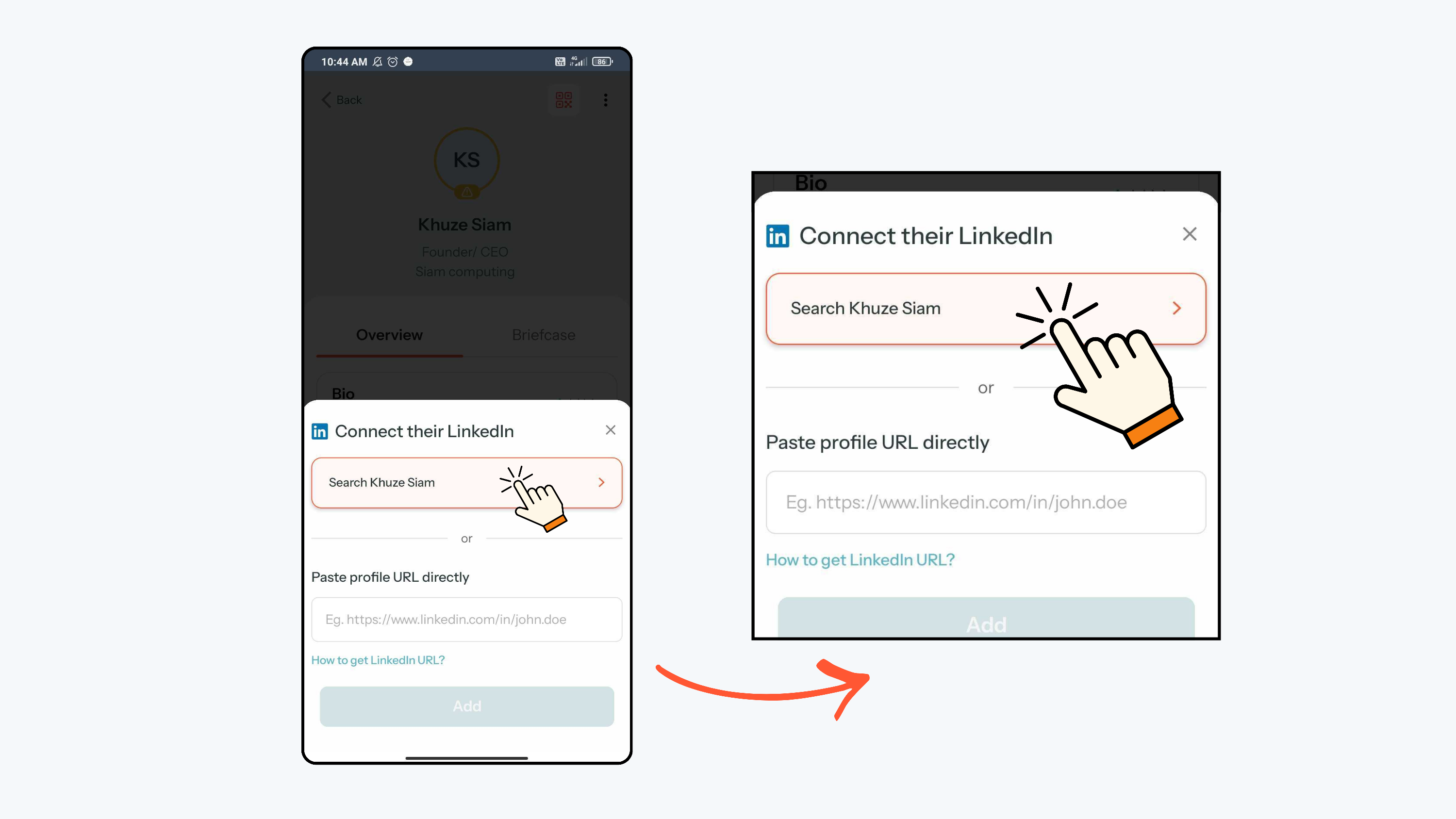
- Regards AI will open a Google search for your profile. You can then select your LinkedIn profile from the search results.

- Click Set Profile and Regards will connect your LinkedIn profile automatically.

- Your LinkedIn profile is now successfully verified.
- The yellow ring will no longer be visible, which means your LinkedIn profile has been verified.

- You can also paste your LinkedIn profile URL directly by clicking on Paste profile URL and Click Add.
Note: To find your LinkedIn profile URL, open the LinkedIn app and click your profile picture in the top-left corner, then click View Profile. Click the three dots next to the “Open to” button, select Contact Info, and copy the profile link shown under your LinkedIn URL.

- Now your LinkedIn profile is now successfully verified.
